TOC
Quickly host your hugo web on Gitlab
Quickly host your hugo web on gitlab.
1.Login gitlab
2.click new project after login
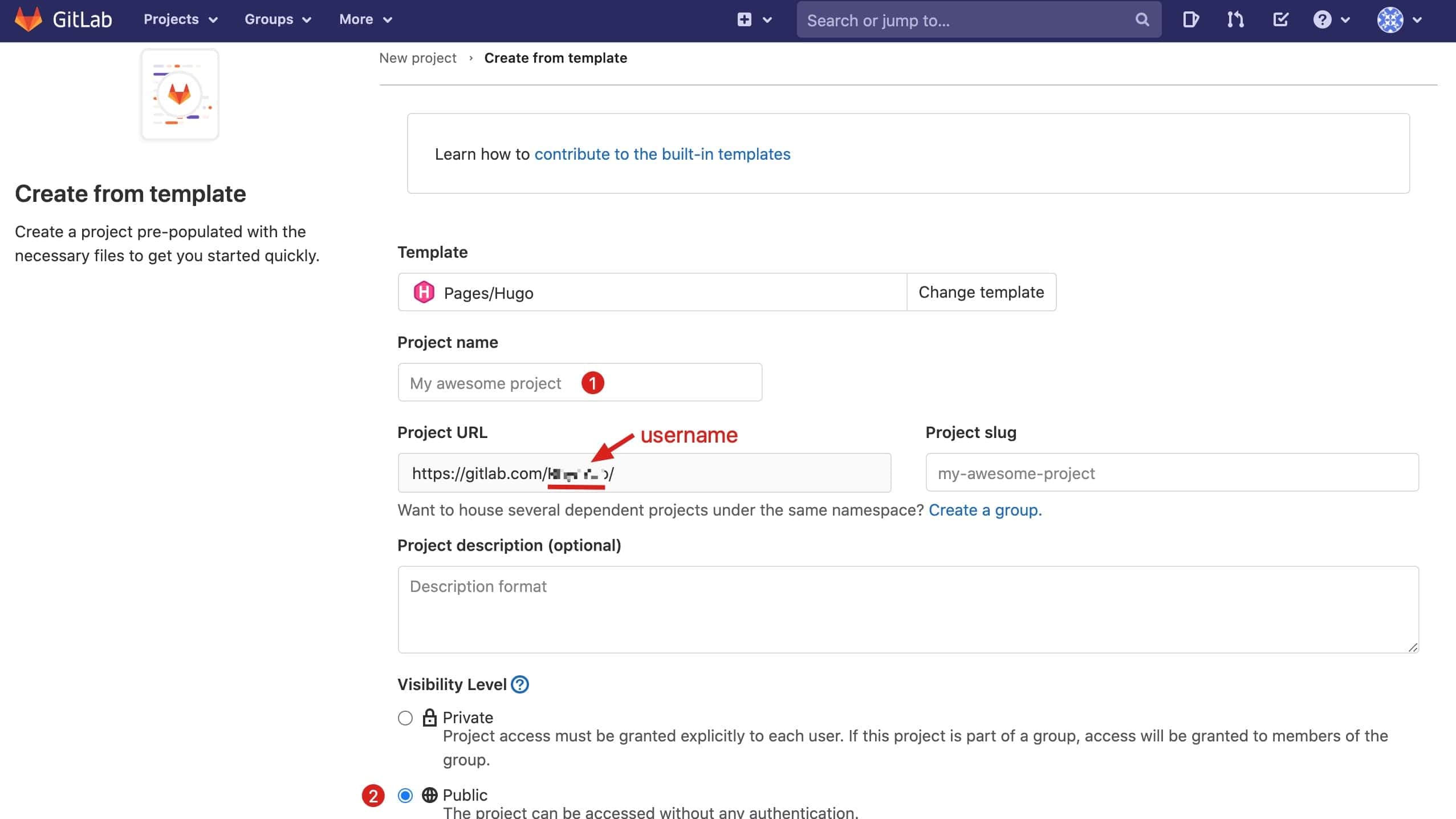
Click Create from template in Create new project and use “Hugo template”

In this example, my project name is: testPage
Now you can see your username on Project URL, for example, mine is https://gitlab.com/RhysYao/, and username is RhysYao which will be used later.
3.Edit config.toml and commit
Change the baseurl https://pages.gitlab.io/hugo/ to https://<your_username>.gitlab.io/<project_name>/ in config.toml file and then commit the change;
In this case, mine is https://rhysyao.gitlab.io/testpage/.
4.Access your gitlab pages
On the tab CI/CD->Pipelines,you will see pipelines passed and the stages is deploy:passed;
Now you can access your page by url:
https://<your_username>.gitlab.io/<project_name>/
for example:
https://rhysyao.gitlab.io/testpage/, open it in web browser;
your_username can be seen on user settings->Account->Change username;
「点个赞」
 Yaohong
点个赞
使用微信扫描二维码完成支付